
Download SaferVPN – Secure, Fast, and Easy‑to‑Use VPN for All Devices
Overview
SaferVPN is a privacy‑focused virtual private network that encrypts every byte of traffic leaving your device, creating a secure tunnel between you and the internet. Whether you’re sipping coffee at a bustling airport, streaming from a public library, or simply want to keep your browsing habits hidden from ISPs and advertisers, SaferVPN offers a straightforward solution. The service supports a wide range of platforms—including Windows, macOS, Android, and iOS—so you can protect laptops, smartphones, and tablets with a single subscription.
In addition to robust encryption, SaferVPN lets you choose from dozens of server locations around the globe, making it possible to appear as if you’re browsing from another country. This is especially handy for expatriates needing to access home‑country banking portals, streaming libraries, or any geo‑restricted content. The company promotes a “no‑logs” policy, meaning your connection data isn’t stored or sold, and it provides a 24‑hour trial window for you to test speed, stability, and usability before committing to a paid plan.
With tiered pricing that accommodates single users, families, and small businesses, SaferVPN aims to be a versatile tool for anyone who values online security without sacrificing convenience.
Key Features & Compatibility
- Military‑grade encryption: Uses AES‑256 encryption to protect data from eavesdropping.
- Global server network: Access servers in over 30 countries for geo‑spoofing and faster routes.
- Multi‑platform support: Native apps for Windows, macOS, Android, and iOS.
- Unlimited bandwidth: No throttling, stream, game, or download without limits.
- No‑logs policy: Strict privacy policy that does not retain activity or connection logs.
- Kill switch: Instantly blocks internet traffic if the VPN connection drops.
- Split tunneling: Choose which apps go through the VPN and which use the regular connection.
- Easy device management: Dashboard to monitor active connections and switch servers.
Operating System Compatibility
- Windows 7, 8, 10, 11 (32‑bit & 64‑bit)
- macOS 10.12 and later
- Android 5.0+ (smartphones & tablets)
- iOS 12.0+ (iPhone & iPad)
All platforms share a unified interface, so you can quickly switch servers, enable the kill switch, or adjust split‑tunneling settings with a few taps or clicks. The apps are lightweight, typically under 30 MB, and they run in the background without noticeable CPU spikes, ensuring that your device’s performance remains smooth even while the VPN is active.
Installation & Usage Guide
Getting started with SaferVPN is designed to be frictionless, even for users who are new to VPN technology. Follow these steps to secure your connection in under ten minutes:
- Create an account: Visit the SaferVPN website, click “Download,” and register using a valid email address. You’ll receive a confirmation email with a verification link.
- Choose your platform: After verification, select the appropriate download button for Windows, macOS, Android, or iOS. The installer is signed and verified, ensuring a secure download.
- Install the app: Run the installer (Windows/macOS) or tap the .apk/.ipa file on mobile devices. Follow the on‑screen prompts; the process typically takes less than a minute.
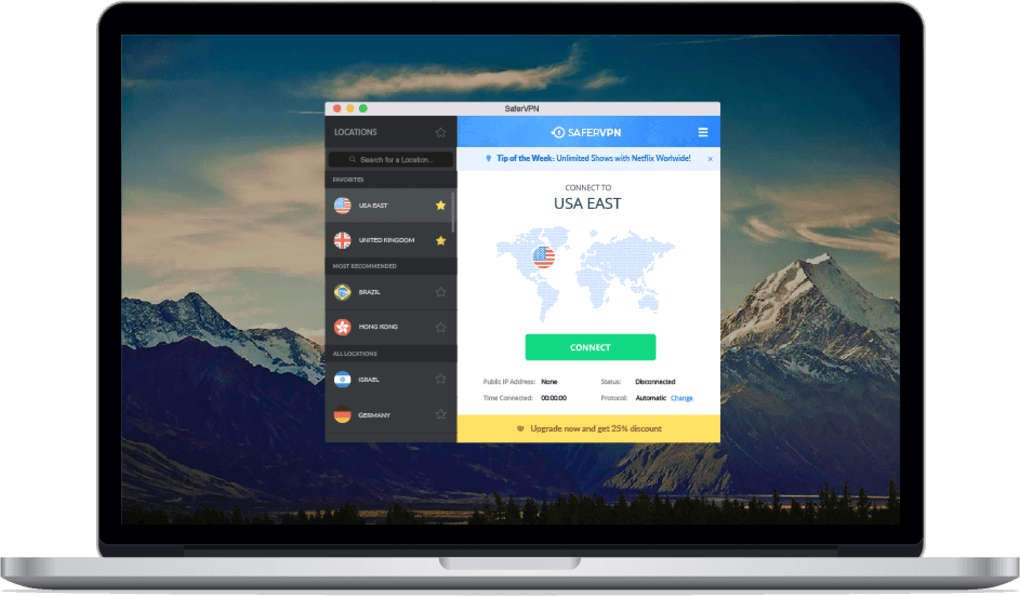
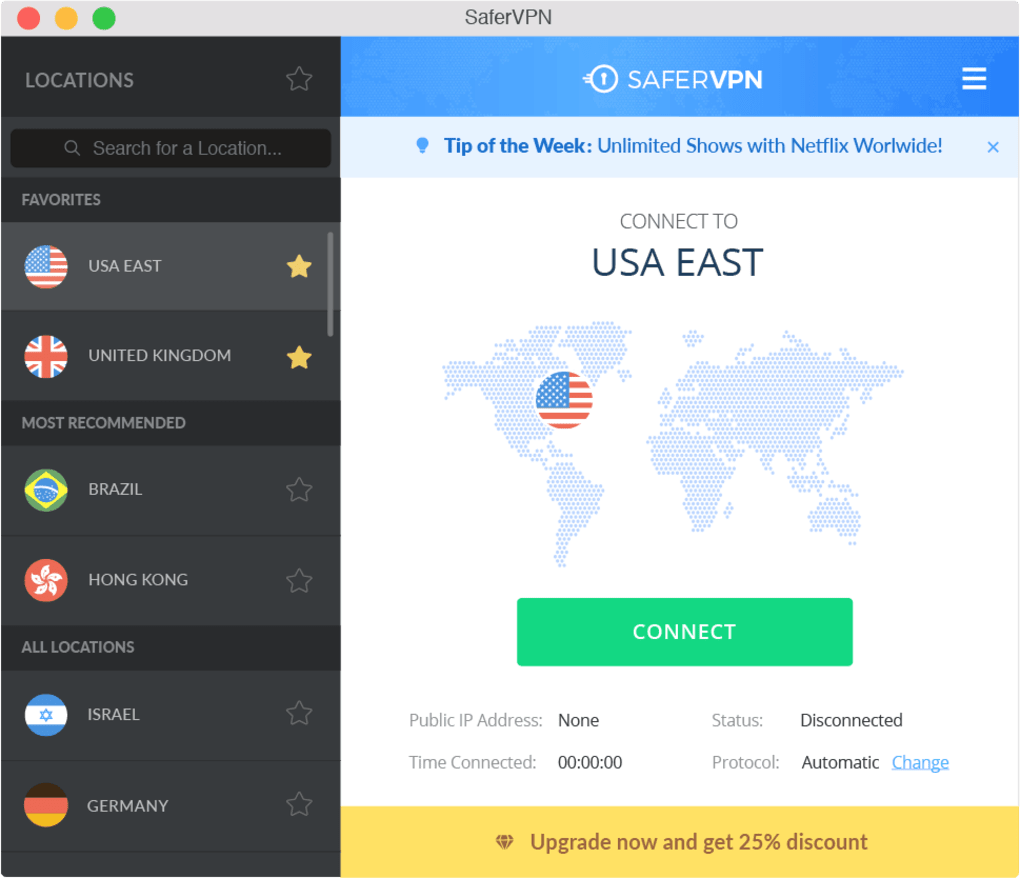
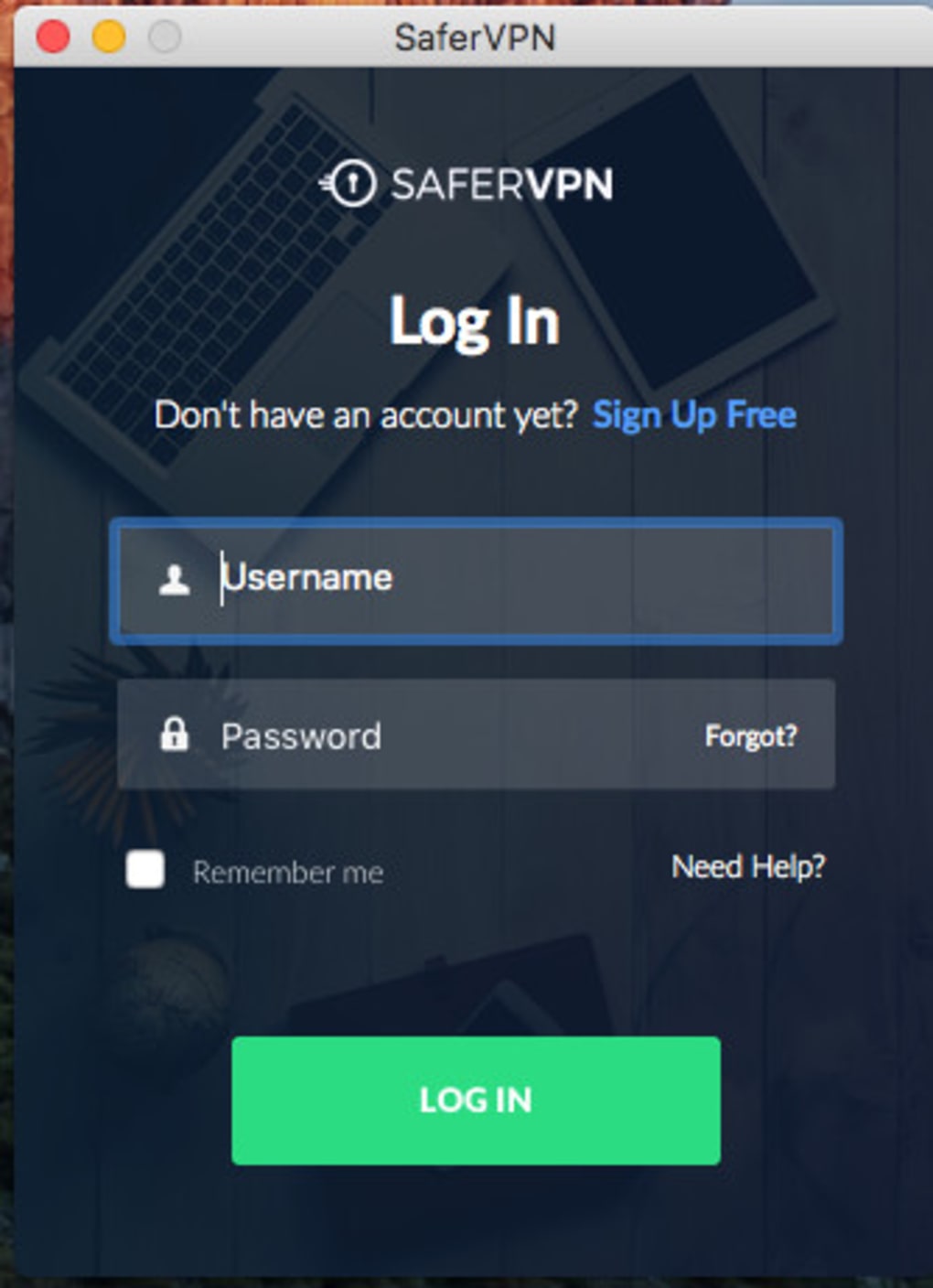
- Log in: Launch the app and sign in with the credentials you created. The dashboard appears, showing your current IP address, server list, and connection status.
- Select a server: Browse the country list or let the app automatically pick the fastest server based on your location. Click “Connect,” and the kill switch activates automatically.
- Configure optional features: Turn on split tunneling if you only want specific apps (e.g., a gaming client) to use the VPN, or enable the “Auto‑connect” option to protect you whenever you join an untrusted Wi‑Fi network.
Once connected, all internet traffic from your device is encrypted and routed through the chosen server. To verify protection, you can visit a “what is my IP” website; the displayed IP should belong to the server’s country, not your actual location. When you’re done, simply hit “Disconnect” or close the app; the kill switch will restore your normal internet connection without exposing data.
SaferVPN also provides a web‑based control panel for managing subscriptions, viewing connection logs (non‑identifying), and generating one‑time passwords for added security. The support team is reachable via live chat and email, offering assistance with any setup hiccups or troubleshooting needs.
Pros and Cons
Pros
- Strong AES‑256 encryption and a reliable kill switch keep data safe.
- Wide server network enables effective geo‑spoofing for streaming and browsing.
- Supports all major operating systems with a clean, intuitive UI.
- No‑logs policy ensures privacy even if legal requests arise.
- Flexible pricing tiers suit individuals, families, and small businesses.
- Split tunneling and auto‑connect features add convenience for power users.
Cons
- Occasional slowdown on high‑traffic servers; premium servers are faster but cost more.
- Some streaming services (e.g., Netflix) may detect and block VPN traffic.
- 24‑hour free trial is short; a longer test period would help evaluate long‑term performance.
- Simultaneous connections limited to 10 devices on the highest plan, which may be insufficient for larger teams.
- No built‑in ad blocker; users need a separate solution for ad‑free browsing.
Frequently Asked Questions
Is SaferVPN really a no‑logs service?
Yes. SaferVPN’s privacy policy explicitly states that it does not store connection timestamps, IP addresses, or browsing activity. Only minimal account data (email and payment information) is retained for billing purposes.
Can I use SaferVPN to stream Netflix or Hulu?
SaferVPN works with many streaming platforms, but some services actively block VPN IPs. If you encounter a “blocked” message, switch to a different server in the same region or try a premium server that is optimized for streaming.
What happens if my VPN connection drops?
The built‑in kill switch instantly cuts off all internet traffic, preventing your real IP address from being exposed. Once the VPN reconnects, traffic resumes automatically.
Is there a limit to bandwidth or data usage?
No. SaferVPN offers unlimited bandwidth on all plans, so you can stream, download, or game without worrying about caps.
How many devices can I connect simultaneously?
The basic plan allows one active connection, the mid‑tier permits three, and the business plan supports up to ten devices at once.
Conclusion & Call to Action
SaferVPN delivers a solid blend of security, speed, and cross‑platform compatibility that makes it a worthy contender in the crowded VPN market. Its straightforward installation process, robust encryption, and flexible pricing tiers cater to both casual users and small enterprises. While occasional server congestion and limited streaming compatibility can be minor annoyances, the overall performance and privacy guarantees outweigh these drawbacks for most users.
If you’re looking for a reliable tool to protect your data on public Wi‑Fi, bypass geo‑restrictions, or simply keep your online activities private, SaferVPN is ready to download and use instantly. Take advantage of the 24‑hour trial, test the connection on your preferred device, and decide whether the premium plans suit your needs. Secure your browsing today—click the link below to download SaferVPN and start safeguarding your internet traffic.
Download SaferVPN now and enjoy a safer, faster, and more private online experience.







